Developers spend time switching between focused work, collaboration, and downtime. A useful gift can make one of those parts of the day more comfortable or enjoyable.
These 11 gift ideas range from desk equipment and connectivity to audio and portable charging, with options for different routines and budgets.
11 Gift Ideas for Developers
FIFINE AmpliGame AM8 White USB/XLR Microphone

- USB and XLR connectivity gives the microphone two connection options.
- A tap-to-mute control and gain knob make audio adjustments accessible on the microphone.
- Its RGB lighting can be turned off or changed with a button when using USB.
Best Gift For: A developer who streams, records podcasts, or creates voiceovers at a desk.

MAONO Wave T5 Mini Wireless Lavalier Microphone

- The wireless microphone records at 48kHz/24-bit.
- Four one-tap voice filters offer different presets for recording.
- The charging case provides 40 hours of total use.
Best Gift For: A developer who records tutorials, interviews, or other video content away from a desk.
SteelSeries Apex Pro TKL Gaming Keyboard

- Per-key actuation offers 40 levels of adjustment.
- The keys can be programmed to trigger two actions with different press depths.
- The keyboard has a detachable USB-C connection.
Best Gift For: A developer who enjoys customizing a keyboard for gaming and everyday computer use.
SteelSeries Aerox 3 Wireless Gaming Mouse, Snow

- The wireless mouse weighs 68g.
- Its lighting supports 16.8 million configurable colors.
- It supports both 2.4GHz wireless and Bluetooth 5.0 connections.
Best Gift For: A developer who games and would appreciate a wireless mouse with configurable lighting.
Nulaxy Pull-Out Height Adjustable Laptop Stand

- The stand fits laptops from 10 to 17 inches.
- Its height adjusts from 1.2 to 20 inches.
- The foldable design is intended to save desk space.
Best Gift For: A developer who uses a laptop at a desk and wants to adjust its screen position.
HUANUO FlowLift Single Monitor Mount

- Fits 13–32 inch monitors, weighs 4.4–19.8 lbs, and supports VESA patterns of 75x75mm and 100x100mm.
- The screen can swivel and rotate for position adjustments.
- The mount offers either a C-clamp or grommet installation option.
Best Gift For: A developer with a compatible monitor who wants more flexibility in screen placement.
SABRENT USB-C 6-Port Hub and M.2 SSD Dock

- The hub includes an internal M.2 slot for SATA or NVMe SSDs.
- Its HDMI port supports an external display up to 4K@60Hz on compatible devices.
- The hub supports Windows, macOS, and Linux systems.
Best Gift For: A developer who works across locations and needs a hub with storage expansion.
TP-Link Archer AXE75 Tri-Band WiFi 6E Router

- The router offers a 6 GHz band alongside its other WiFi bands.
- It supports VPN server and client functions.
- OneMesh support allows connection to a TP-Link OneMesh extender.
Best Gift For: A developer considering a home network upgrade for browsing, streaming, and gaming.
Audioengine A2+ Wireless Computer Speakers, Red

- The speakers support Bluetooth 5.3 aptX-HD and wired connections.
- A built-in DAC connects to a computer through USB-C.
- The desktop speakers have real wood cabinets.
Best Gift For: A developer who listens to music, podcasts, or movies at a desk.
LISEN Ultra Slim MagSafe Power Bank for iPhone and Apple Watch
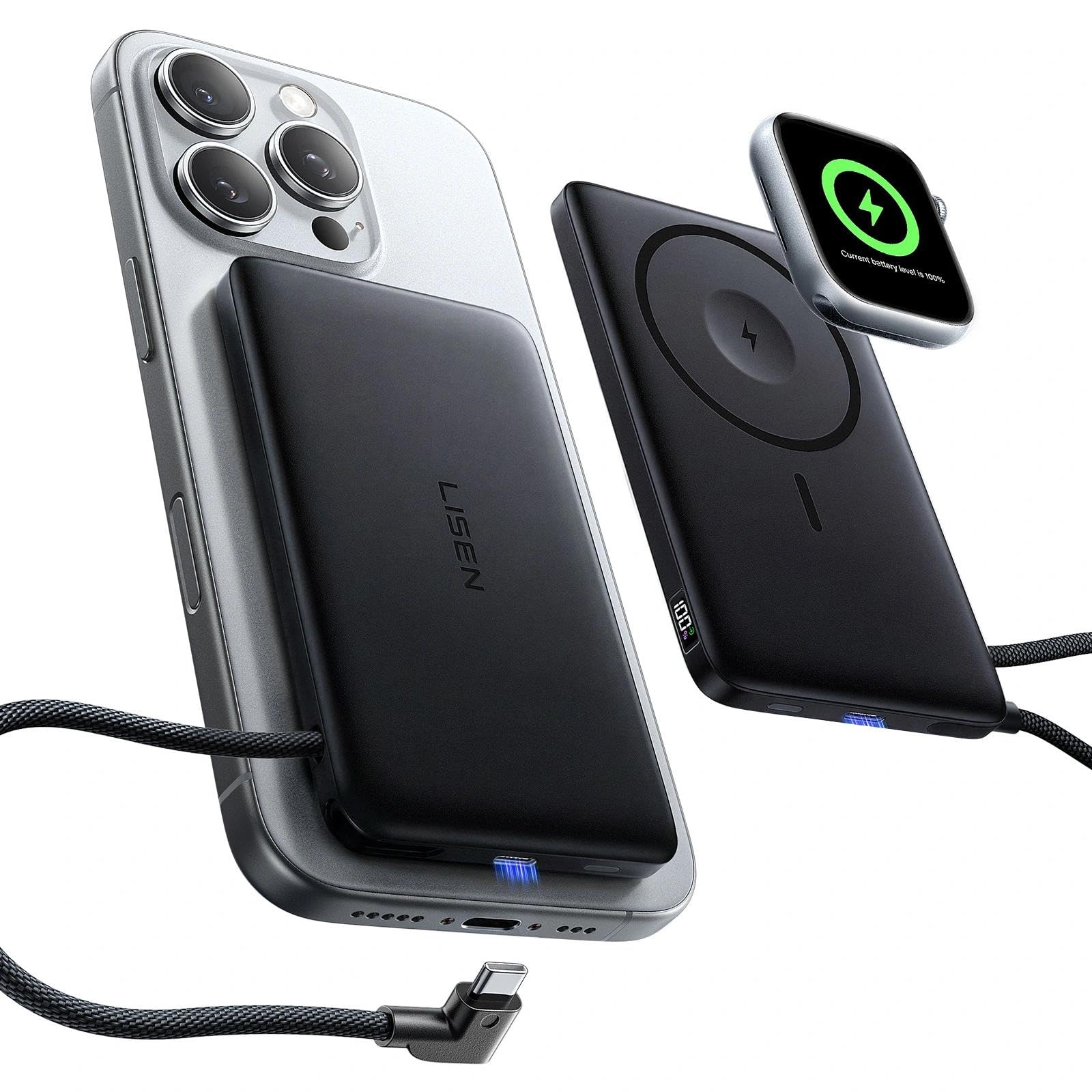
- The power bank supports MagSafe charging and Apple Watch charging.
- It has a built-in USB-C cable and a USB-C port.
- A digital display shows remaining power and charging status.
Best Gift For: A developer who carries compatible Apple devices and wants portable charging options.
TAGRY X08 True Wireless Earbuds
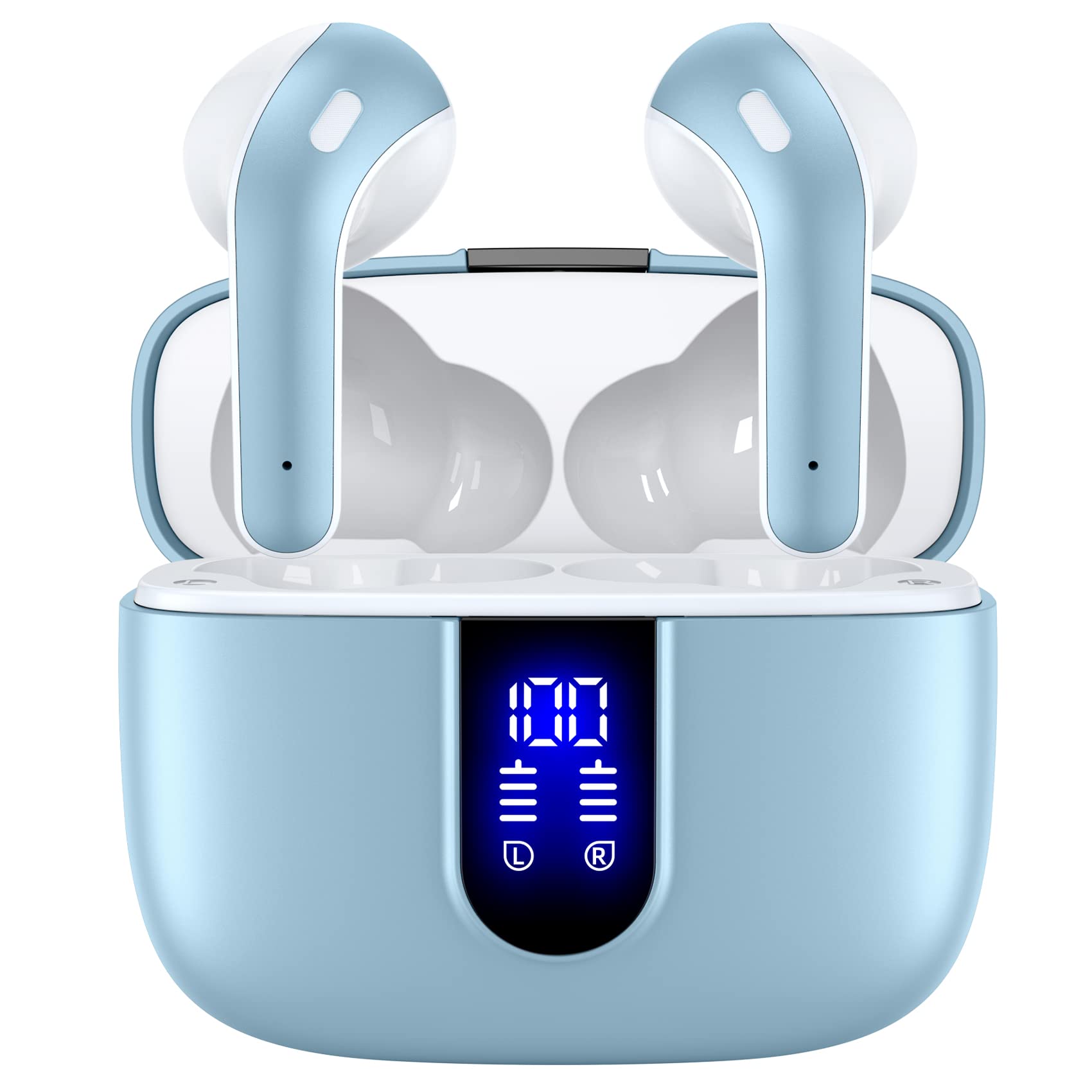
- The charging case supports wireless and USB-C cable charging.
- Touch controls can manage music, volume, calls, and voice assistant functions.
- The package includes three different sizes of ear tips.
Best Gift For: A developer who wants earbuds for music, calls, meetings, or reading.
Choosing gifts for developers by daily routine
When choosing gifts for developers, start with the part of their day the gift could improve. Someone who spends most of the day at a desk may appreciate a more adjustable workspace, while a person who records tutorials or streams may enjoy equipment suited to capturing voice.
A developer who moves between home and office may value a compact way to connect or charge devices.
Think about what the recipient already owns and how they use it. A laptop stand or monitor mount makes sense when they have a fixed desk and compatible equipment; a portable hub or power bank may suit someone who packs up regularly.
For audio gifts, consider whether they usually listen through speakers, headphones, or a microphone setup.
A small detail can help narrow the choice: do they talk on calls, listen to music while working, or play games after work? If you are unsure, choose a flexible accessory that fits a routine you have observed, and check compatibility before ordering.
That keeps the gift useful without assuming every developer has the same setup.
Balance budget and usefulness
Set a comfortable spending range before comparing options. Smaller accessories can make thoughtful gifts when they solve a recurring inconvenience, while larger desk or audio upgrades are better suited to a close friend, partner, or group gift.
The most useful choice is often the one that fits a clear need, rather than the item with the longest feature list.
For gifts for developers, consider whether an upgrade depends on other equipment or a particular ecosystem. A monitor mount needs a compatible screen and desk; a hub needs devices with the right connection support.
A power accessory may have specific compatibility requirements, so verify those before buying. These checks can prevent an appealing gift from becoming an awkward fit.
If the recipient has a carefully arranged workspace, ask a mutual friend whether they already own the item or have a preferred setup. For a more casual gift, choose something easy to use alongside existing equipment.
Always check current prices and product details, since costs and availability can change between planning and purchase.
Add a personal touch to the gift
Personalization can be simple: connect the gift to a habit, project, or shared joke without making the present feel like office equipment. A music listener might enjoy a note with an album recommendation; a creator could appreciate a message recognizing a recent project.
The thought behind the choice often matters as much as the item itself.
For gifts for developers, present a practical accessory in a way that feels considered. Pair a desk upgrade with a handwritten note about making their work corner more comfortable, or package a portable accessory with a small pouch for their commute.
If the gift has setup requirements, include a friendly offer to help them check fit or connections after they unwrap it.
Keep presentation straightforward and considerate. Use packaging that protects the item, include a gift receipt when available, and avoid opening or configuring electronics unless you know the recipient would welcome that.
If you are gifting as a group, coordinate on one useful upgrade rather than several overlapping accessories.
Last-minute buying advice for gifts for developers
When time is short, choose a gift that is easy to understand and has a clear place in the recipient’s routine. A compact accessory can be simpler to wrap and explain than equipment that requires rearranging a desk.
Before checkout, confirm the exact model, compatibility, dimensions, and delivery estimate for the recipient’s location.
Avoid guessing about technical fit under deadline pressure. Check the recipient’s computer or phone connections when possible, and confirm that a screen or stand suits their setup.
If those details are unknown, choose a flexible option or a gift card from a retailer they already use. Review the return terms so they have room to exchange an incompatible item.
If the item may arrive after the occasion, prepare a printed note or a small placeholder that explains the planned gift without promising an arrival date. You can also give a short card with a link separately, but keep the presentation personal.
A thoughtful message and a realistic timeline make a late-arriving present feel deliberate rather than forgotten.
Make the choice easy to use
A useful gift works best when it fits into the recipient’s existing habits. Think about whether they prefer a quiet workspace, frequent calls, music in the background, or a lighter travel setup.
Those everyday details can guide the choice more reliably than selecting something simply because it is marketed for technology enthusiasts.
Before buying, review current product details and check compatibility, dimensions, and delivery estimates. Pay special attention to accessories that connect to a computer, attach to a desk, or depend on particular devices.
If you cannot confirm a fit, consider a more flexible present or ask someone close to the recipient for a discreet suggestion.
Wrap the gift with a short note explaining why it made you think of them. A practical item can still feel personal when it connects to a routine, a project, or time spent together.
Keep the note warm and specific, and leave the recipient free to decide how and when to use the gift.