The JLab GO Charge Wireless Mouse is built for portable work, with Bluetooth or USB dongle connectivity and switching among up to three devices.
This JLab GO Charge Wireless Mouse Bluetooth USB Dongle Multi-Device Compact Rechargeable review looks at how its rechargeable design, adjustable tracking, and quiet clicks fit everyday use.
JLab GO Charge Review Summary
The quick verdict
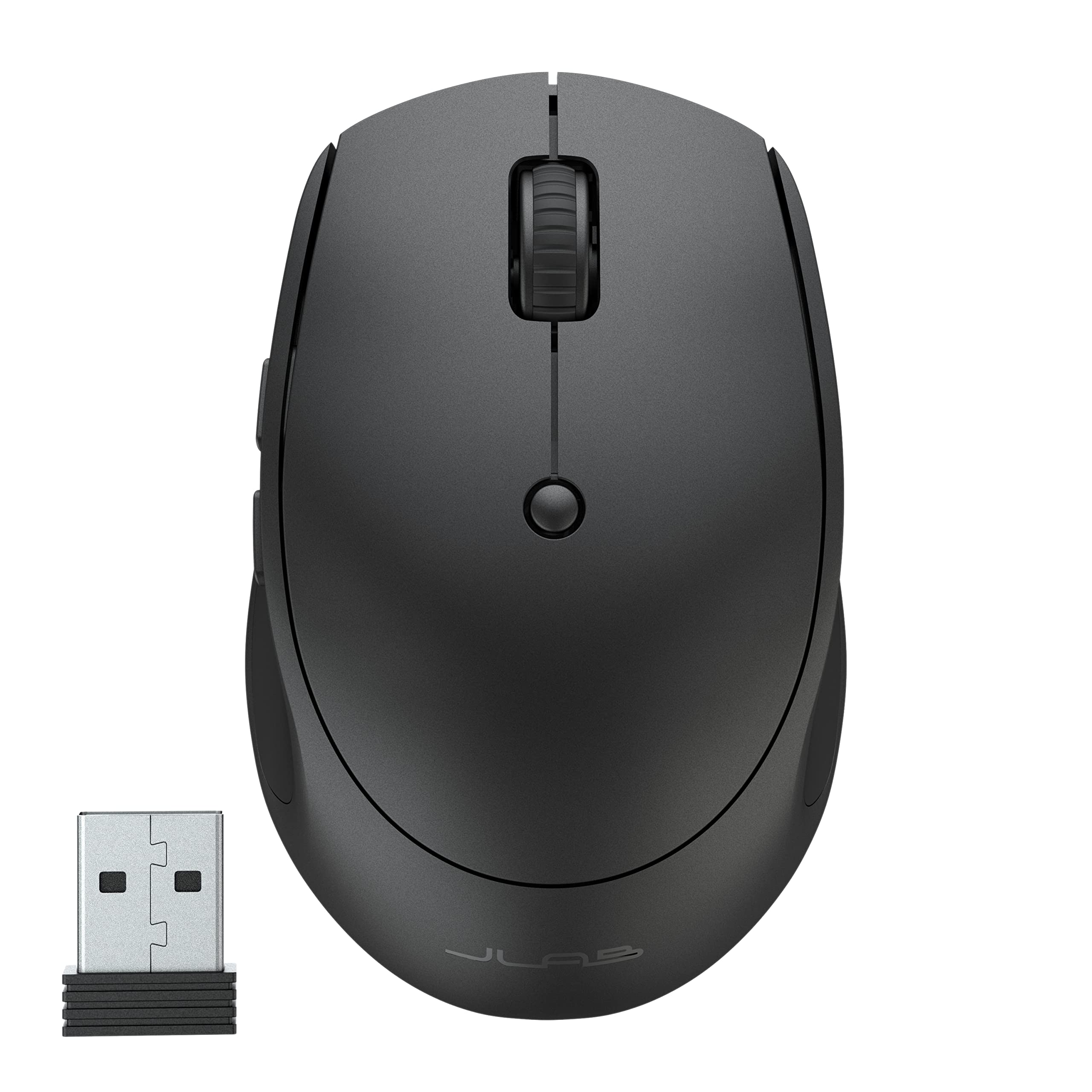
1,000+ ratings
Read Amazon ReviewsJLab GO Charge Wireless Mouse
A compact, quiet rechargeable mouse for people who switch among several devices and want a portable everyday pointer.
- Rechargeable battery with a stated runtime of 4+ months per charge.
- Adjustable DPI tracking for choosing a preferred cursor speed.
- Silent click buttons and a compact, lightweight form intended for portability.
- Connects through Bluetooth 5 or a USB wireless dongle.

Pros
- Rechargeable operation avoids the need to keep replacing disposable mouse batteries.
- Three-device pairing and two connection methods suit people who move between computers and mobile devices.
Consider before buying
- The compact form may be less comfortable for buyers who prefer a larger mouse for extended sessions; check its dimensions and hand fit before choosing.
- The battery runtime is an stated 4+ months, but actual time between charges will depend on usage.
Read the full review summary
The GO Charge brings several useful workday conveniences together in a compact mouse: rechargeable power, adjustable DPI tracking, silent click buttons, and the ability to pair with up to three devices.
Bluetooth 5 and a USB wireless dongle offer two connection routes, while the multi-device toggle is designed to make moving between a computer, tablet, or phone less cumbersome.
Its strongest fit is a mobile or shared-device routine where portability and fewer charging or battery interruptions matter. The product is described as compatible with Windows, Mac/iOS, Android, and Chrome OS.
Buyers who need a larger, highly specialized or gaming-focused mouse should compare their requirements carefully, since the compact productivity design and listed features are its focus.
The buying factors
JLab GO Charge Scorecard
Editorial scores reflect listed features and buyer fit; they are not laboratory measurements or customer ratings.
Multi-device flexibility
Pairs with up to three devices over Bluetooth 5 or USB wireless dongle and supports switching between them.
Power convenience
Rechargeable battery is described as lasting 4+ months per charge, which could mean infrequent charging for many routines.
Portability
The compact, lightweight design is intended to slip into a bag for work away from a desk.
Everyday control
Adjustable DPI tracking lets users tune cursor speed for different tasks and screen setups.
Quiet work setup
Silent click buttons are a practical feature for quieter shared spaces.
Platform versatility
Compatibility includes Windows, Mac/iOS, Android, and Chrome OS.
Key Features and Specifications of JLab GO Charge
- Rechargeable battery with a stated runtime of 4+ months per charge.
- Adjustable DPI tracking for choosing a preferred cursor speed.
- Silent click buttons and a compact, lightweight form intended for portability.
- Connects through Bluetooth 5 or a USB wireless dongle.
- Supports pairing with up to three devices and switching between them.
- Compatibility listed for Windows, Mac/iOS, Android, and Chrome OS.
- Includes a 2-year JLab warranty.
Pros and Cons of JLab GO Charge
Pros
- Rechargeable operation avoids the need to keep replacing disposable mouse batteries.
- Three-device pairing and two connection methods suit people who move between computers and mobile devices.
- Adjustable tracking and quiet clicks address useful everyday work preferences.
- Compact design makes it convenient to carry between home, office, and travel setups.
Consider before buying
- The compact form may be less comfortable for buyers who prefer a larger mouse for extended sessions; check its dimensions and hand fit before choosing.
- The battery runtime is an stated 4+ months, but actual time between charges will depend on usage.
- The product description does not specify the included charging cable or exact DPI steps, so confirm those details if they affect your setup.
Who Should Buy JLab GO Charge?
Good fit
Consider the GO Charge if you regularly work across multiple devices and want one mouse that can pair with up to three of them.
Bluetooth 5 and the included USB wireless dongle provide options for different setups, while the multi-toggle design is intended to make switching straightforward.
It also makes sense for a portable desk kit. The compact body, silent clicks, adjustable cursor tracking, and rechargeable battery address common travel and shared-workspace needs without focusing on specialized gaming controls.
Before buying, consider how a compact mouse fits your hand and whether the connection route works with your devices.
If you depend on exact sensitivity increments or need to know what charging accessories come in the box, check those points before ordering.
Who should skip it
Skip it if you specifically want a larger, sculpted mouse and cannot comfortably use compact designs for long sessions.
Look elsewhere if your priority is a gaming-oriented mouse with high-sensitivity sensor specifications, or if your workflow depends on features beyond the listed everyday productivity controls.
JLab GO Charge Review: Everyday Flexibility in a Compact Mouse
Switching among devices
Pairing with up to three devices is the most distinctive workday convenience here.
It can suit a routine that moves between a laptop, tablet, and another computer, while Bluetooth 5 and a USB wireless dongle give buyers a choice of connection methods.
Consider which devices you actually use and whether the dongle connection fits their ports before relying on a multi-device setup.
Rechargeable power for travel
A stated 4+ months per charge suggests that charging may be an occasional task rather than a daily one, depending on use.
That is useful in a travel bag or home office where spare batteries are easy to forget.
The included charging accessories are not specified in the product details, so buyers who need a particular cable should verify what comes in the box.
Control and quieter clicks
Adjustable DPI tracking gives users a way to change cursor speed to match a preferred feel or a multi-monitor workspace. Silent click buttons are another practical choice for shared rooms and quieter work environments.
The description does not provide the available DPI levels, so anyone who needs a precise sensitivity range should check before purchase.
A compact productivity shape
The lightweight, compact design is aimed at portability, which can make it easier to keep a mouse with a laptop.
Compact size is also a fit consideration: hand size and grip preferences vary, and a portable shape may not feel right to everyone over a long session.
If comfort is a major priority, confirm the dimensions and consider how you hold a mouse before deciding.
Alternatives to JLab GO Charge
Battery-focused alternative
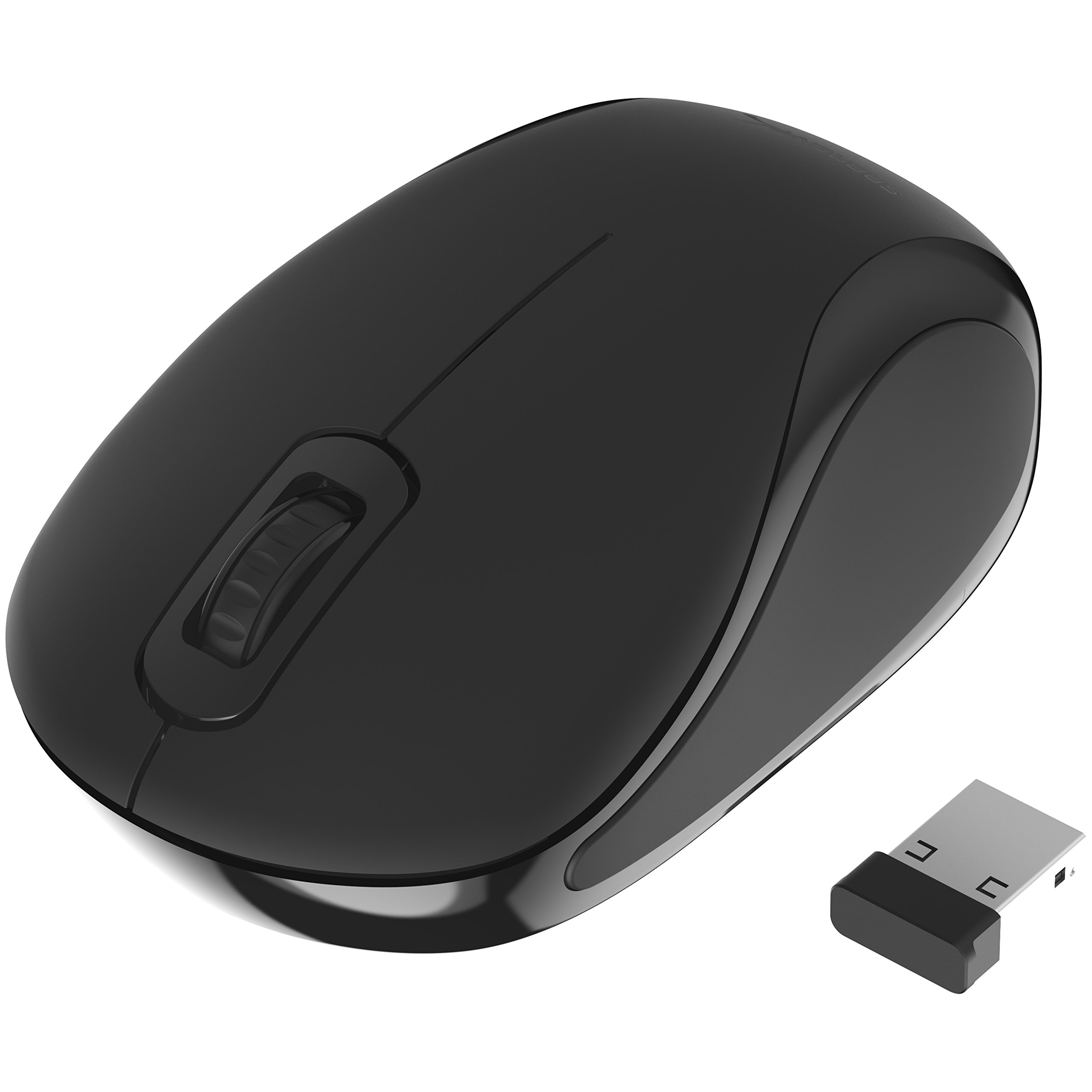
2,000+ ratings
Read Amazon ReviewsSABRENT Mini Travel Wireless Mouse
Choose the JLab if rechargeable power, quiet clicks, adjustable tracking, and multi-device switching are useful.
The SABRENT may suit someone who wants a simple travel mouse with a nano receiver and a fixed 1200 DPI specification, and is comfortable supplying an AAA battery.
- The SABRENT is a compact 2.4 GHz wireless mouse with a nano receiver, 1200 DPI optical tracking, three buttons, and a stated 10-meter range.
- It requires one AAA battery and lists Windows and Mac OS X compatibility.
- The JLab offers rechargeable power, adjustable tracking, silent clicks, and pairing with up to three devices through Bluetooth 5 or a USB wireless dongle.
Computer Mice alternative
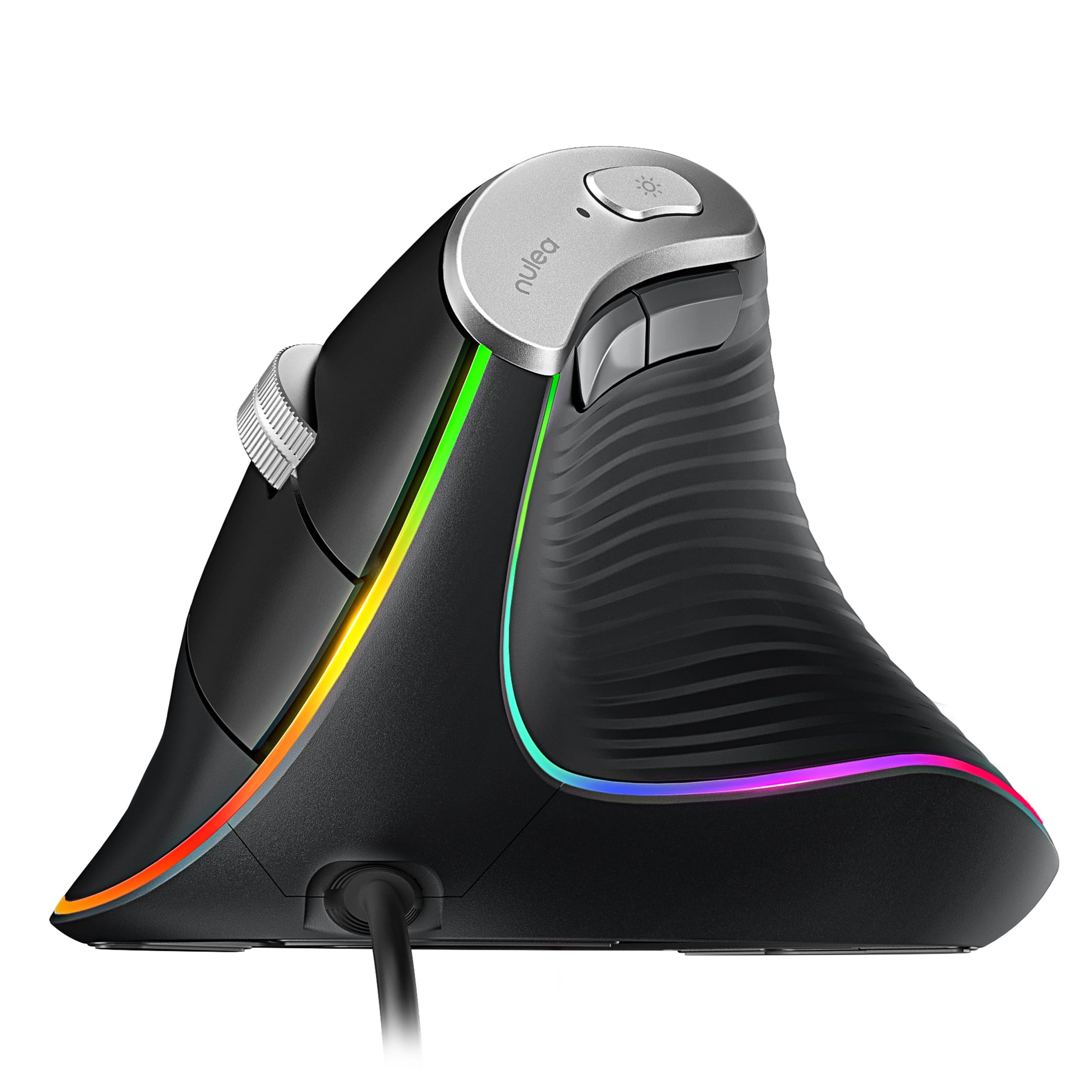
1,000+ ratings
Read Amazon ReviewsNulea M504 Wired Vertical Mouse
Consider the Nulea if a vertical grip and wired connection better match your desk setup, and you want defined DPI levels.
The JLab is the more relevant fit for buyers who need wireless portability, quieter clicks, rechargeable power, or multi-device switching.
- The Nulea M504 is a wired right-hand vertical mouse with a 57-degree grip, four selectable DPI levels from 800 to 3200, six buttons, and RGB lighting.
- Its forward and backward buttons are not compatible with Mac OS, and its buttons are non-programmable.
- The JLab is a compact wireless mouse focused on portability, rechargeable use, quiet clicks, and switching among up to three devices.
Is JLab GO Charge Worth It?
The JLab GO Charge Wireless Mouse is worth considering as a compact everyday pointer for people who travel with a mouse or switch among several devices.
Its combination of rechargeable power, adjustable tracking, silent clicks, and up-to-three-device pairing covers a useful set of productivity needs.
Choose it if portability and wireless flexibility matter more than a larger hand-filling shape or specialized controls. Check the fit, sensitivity details, and charging accessories if any of those are essential to your routine.
Your review at a glance
1,000+ ratings
Read Amazon ReviewsJLab GO Charge Wireless Mouse
A compact, quiet rechargeable mouse for people who switch among several devices and want a portable everyday pointer.
- Rechargeable battery with a stated runtime of 4+ months per charge.
- Adjustable DPI tracking for choosing a preferred cursor speed.
- Silent click buttons and a compact, lightweight form intended for portability.
- Connects through Bluetooth 5 or a USB wireless dongle.