The Liene PixCut S1 combines a color photo printer and sticker-cutting machine in one device, with app-based editing and an AI-assisted workflow.
This Liene PixCut S1 Color Sticker Printer & Cutting Machine review looks at its creative tools, material claims, and the practical tradeoffs to weigh before buying.
Liene PixCut S1 Review Summary
The quick verdict
700+ ratings
Read Amazon ReviewsLiene PixCut S1
A fit for crafters and small-scale creators who want to print and cut custom photo stickers from a phone, tablet, or desktop.
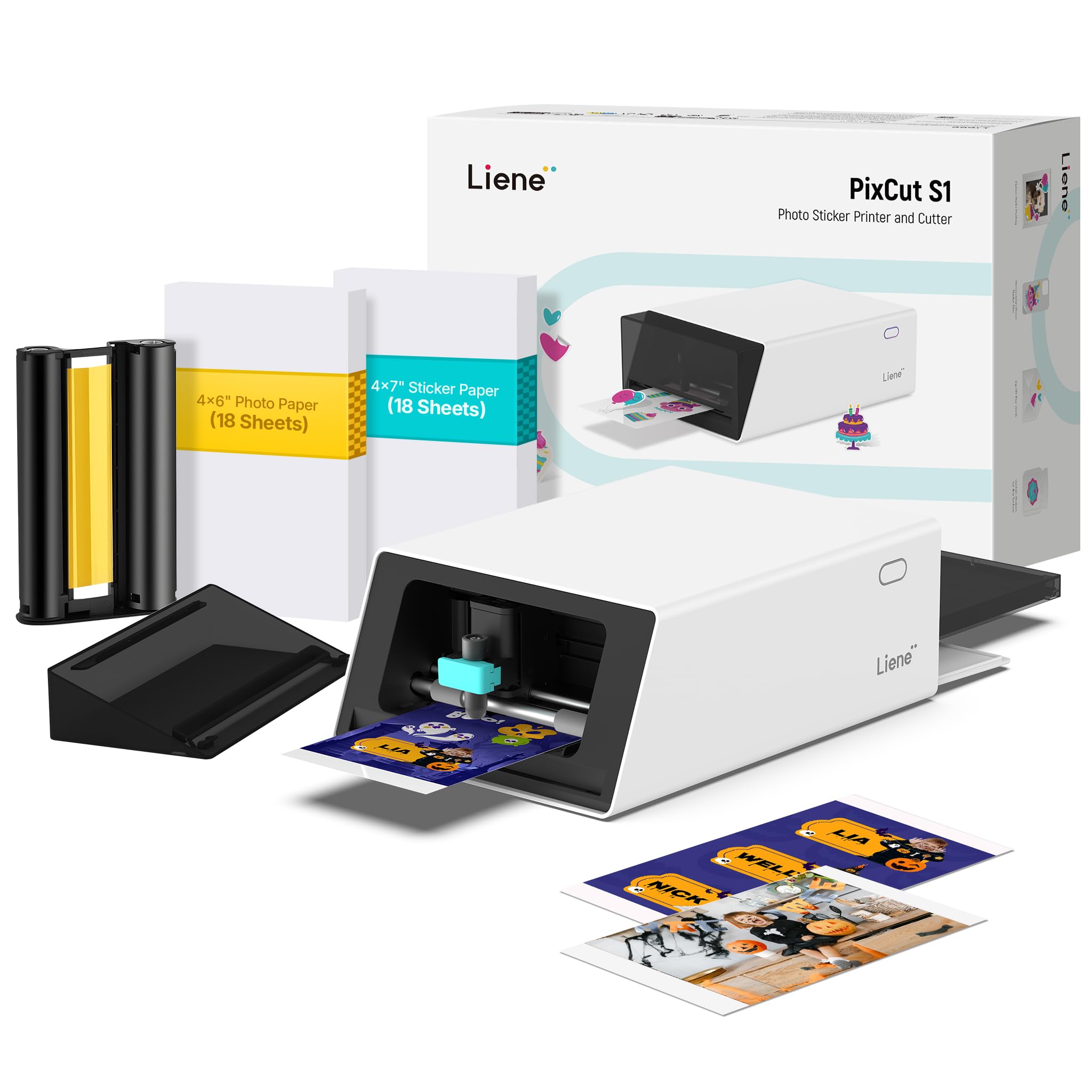
- Combines thermal dye-sublimation color printing with die cutting in one machine.
- Print resolution is listed as 300 dpi, with support for 16.7 million colors.
- The app supports editing and printing from a smartphone over Bluetooth, and is described as available on mobile, tablet, and desktop.
- AI image extraction can identify subjects in photos, with the cutting system designed to follow their outlines.

Pros
- Printing and cutting are integrated, reducing the need to manage separate devices for sticker projects.
- A 300 dpi dye-sublimation process and broad color range suit designs that depend on vivid imagery.
Consider before buying
- The feature set is centered on stickers and related craft output, so it may be a poor fit if you mainly need everyday document printing.
- The integrated app is central to editing and the print-and-cut process; buyers should confirm that its supported devices and workflow match their setup.
Read the full review summary
The PixCut S1 is designed for people who want to turn photos and digital designs into custom stickers without moving between separate printing and cutting machines.
Its thermal dye-sublimation process produces 300 dpi color output, while the app supports editing, AI image extraction, and cutting around selected subjects. The workflow is aimed at personal projects such as labels, journaling, gifts, and decorative decals.
Its strongest appeal is the combination of printing, design resources, and cutting in a single setup.
The Liene app is described as supporting mobile, tablet, and desktop use, with a large library of free images, fonts, elements, and templates and no subscription requirement.
Buyers should still consider whether the device's sticker-focused format and app workflow suit their usual projects; it is a specialized creative machine rather than a general-purpose printer.
The buying factors
Liene PixCut S1 Scorecard
Editorial scores reflect listed features and buyer fit; they are not laboratory measurements or customer ratings.
Print-and-cut workflow
Combining color printing and cutting in one device can simplify custom sticker projects.
Color output detail
The listed 300 dpi thermal dye-sublimation process is aimed at detailed, colorful designs.
Creative tools
AI image extraction, AI art styles, and a broad template library support varied personal projects.
Device flexibility
The app is described for mobile, tablet, and desktop, with Bluetooth smartphone operation.
Material durability
Automatic lamination and waterproof, scratch-resistant sticker claims are useful for everyday labels and crafts.
General-purpose versatility
Its listed functions center on custom stickers, labels, photo printing, and related craft output.
Key Features and Specifications of Liene PixCut S1
- Combines thermal dye-sublimation color printing with die cutting in one machine.
- Print resolution is listed as 300 dpi, with support for 16.7 million colors.
- The app supports editing and printing from a smartphone over Bluetooth, and is described as available on mobile, tablet, and desktop.
- AI image extraction can identify subjects in photos, with the cutting system designed to follow their outlines.
- The AI Lab offers styles for transforming uploaded photos into illustrations such as anime or fantasy-inspired art.
- Four-layer dye-sublimation printing automatically laminates the photo paper; the resulting stickers are described as waterproof and scratch-resistant.
- The app includes access to more than 50,000 free images, fonts, and elements and over 10,000 templates, with no subscription requirement.
Pros and Cons of Liene PixCut S1
Pros
- Printing and cutting are integrated, reducing the need to manage separate devices for sticker projects.
- A 300 dpi dye-sublimation process and broad color range suit designs that depend on vivid imagery.
- AI extraction and outline cutting can help turn ordinary photos into custom sticker shapes.
- The app combines editing, creative styles, and a large resource library without a stated subscription.
- Automatic lamination and the stated water and scratch resistance are relevant for labels and frequently handled crafts.
Consider before buying
- The feature set is centered on stickers and related craft output, so it may be a poor fit if you mainly need everyday document printing.
- The integrated app is central to editing and the print-and-cut process; buyers should confirm that its supported devices and workflow match their setup.
- The description gives no project-size or media-format detail, so check that the intended sticker dimensions and paper format suit your designs before purchasing.
Who Should Buy Liene PixCut S1?
Good fit
Consider the PixCut S1 if you regularly make photo stickers, custom labels, journal decorations, or small personalized gifts and want printing and cutting handled in one workflow.
The AI subject extraction and outline cutting are particularly relevant when you want stickers to follow the shape of a person, pet, or object in a photo rather than remain rectangular.
It may also suit a household or creative workspace where several people make occasional projects.
The template library and AI styles provide starting points for users who do not want to build every design from scratch, while the mobile, tablet, and desktop app availability gives some flexibility in where designs are prepared.
Before committing, map out a typical project: the dimensions you need, the device you will use to prepare it, and how much photo detail matters.
That check helps establish whether a sticker-focused machine is appropriate for your routine and whether its app-led workflow feels convenient.
Who should skip it
Skip it if your main need is a conventional printer for documents or broad office tasks; the described strengths focus on color photos, stickers, labels, and craft designs.
Look for another type of setup if your projects depend on specific sticker sizes or paper formats that you cannot confirm will work with this machine.
How the Liene PixCut S1 Fits Sticker Projects
A compact workflow for custom stickers
The core idea is to print and cut in one sequence. That can be useful for creators making small batches of personalized designs, since the same device handles image output and shape cutting.
Its smartphone Bluetooth workflow and editing app are geared toward making the process accessible from a personal device.
Photo color and detail
Thermal dye-sublimation printing at 300 dpi is the stated basis for the S1's color output. That specification makes it a plausible choice for photographs, illustrated designs, and colorful labels where fine detail matters.
As with any printer, the result also depends on the source image and design, so choose clear artwork when small features need to remain legible.
Cutting around image subjects
AI image extraction identifies a subject from a photo, and the cutting system is designed to trace its outline. This supports more varied sticker shapes than a simple rectangular crop and may reduce manual preparation for common subjects.
Buyers planning intricate designs should assess their own artwork and desired cut shapes against the device's workflow.
App resources and sticker durability
The Liene app brings together design tools, templates, and generated art styles, while the four-layer process automatically laminates the photo paper. The described waterproof and scratch-resistant finish could be useful for stickers that see routine handling.
For any project exposed to demanding conditions, check that the intended material and use are appropriate before relying on it.
Alternatives to Liene PixCut S1
No alternative model is recommended here. Compare the design and features that matter to your routine before choosing another option.
Is Liene PixCut S1 Worth It?
The Liene PixCut S1 is worth considering if your goal is to make custom photo stickers, labels, and craft designs with a single print-and-cut device.
Its combination of dye-sublimation color output, AI-assisted subject cutting, app tools, and a substantial template library gives it a clear creative focus.
Buy it when that focused workflow matches your projects and the app and sticker format suit your setup.
If you need a general-purpose printer or depend on a specific media size, confirm fit first or choose a machine designed for that broader need.
Your review at a glance
700+ ratings
Read Amazon ReviewsLiene PixCut S1
A fit for crafters and small-scale creators who want to print and cut custom photo stickers from a phone, tablet, or desktop.
- Combines thermal dye-sublimation color printing with die cutting in one machine.
- Print resolution is listed as 300 dpi, with support for 16.7 million colors.
- The app supports editing and printing from a smartphone over Bluetooth, and is described as available on mobile, tablet, and desktop.
- AI image extraction can identify subjects in photos, with the cutting system designed to follow their outlines.