The SABRENT 10-Port Powered USB 3.0 Hub is designed for a desk setup that needs multiple USB connections, individual port controls, and dedicated charging.
This review looks at how its seven data ports, three charging ports, and included power adapter may suit a busy collection of peripherals.
SABRENT 10-Port Hub Review Summary
The quick verdict
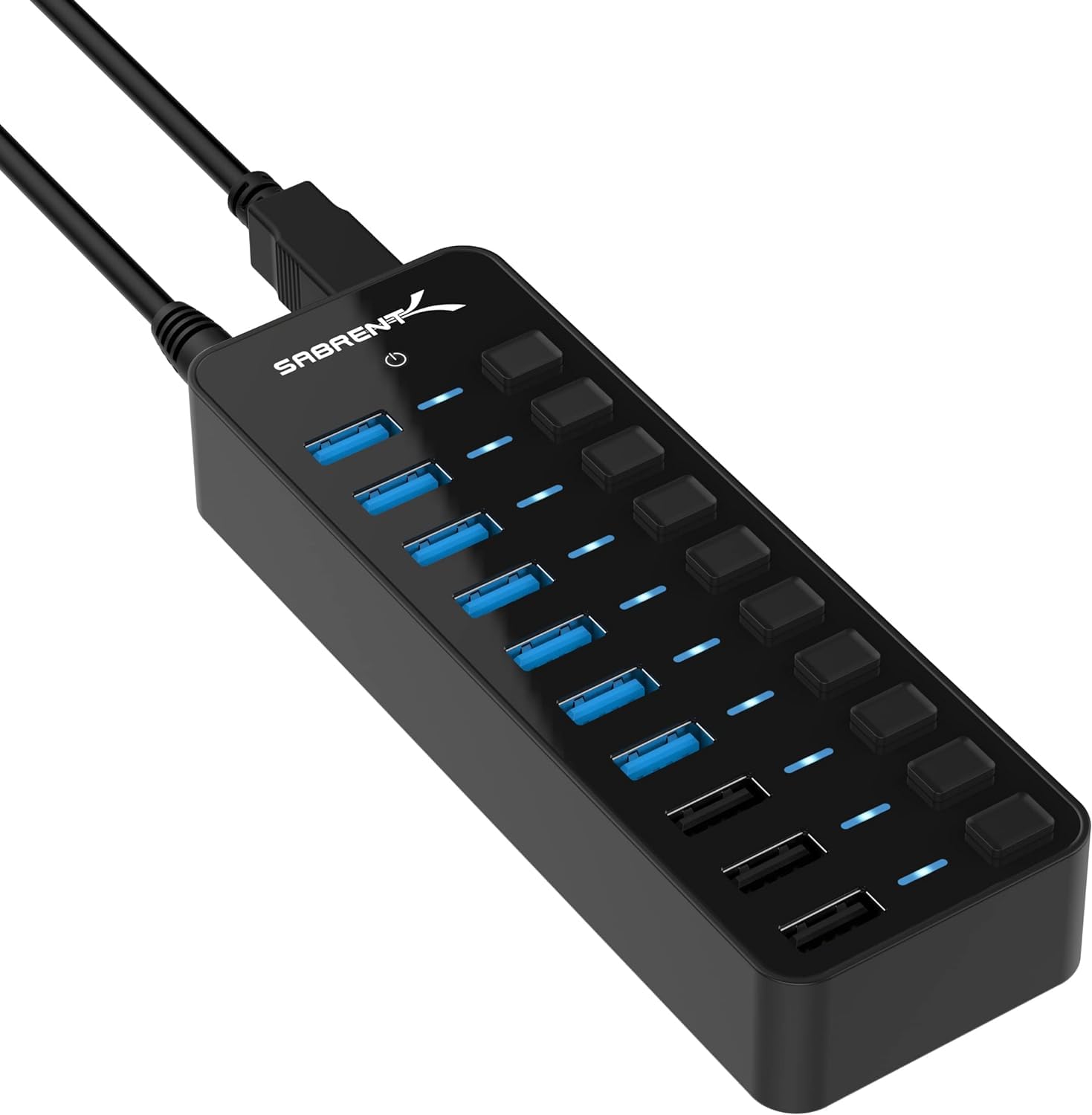
6,000+ ratings
Read Amazon ReviewsSABRENT 10-Port Powered USB 3.0 Hub
A powered desktop hub for people who need several USB connections, port-by-port switches, and separate charging ports.
- Ten total ports: up to seven USB 3.0 ports for data and three dedicated charging ports.
- USB 3.0 data transfer speeds of up to 5Gbps.
- Three smart charging ports automatically detect connected devices and deliver up to 2.4A per port.
- Includes a 60W, 12V/5A power adapter.

Pros
- Combines multiple data connections and dedicated charging ports in one hub.
- Individual switches and LEDs provide convenient control and at-a-glance port status.
Consider before buying
- The data and charging roles are split across the ten ports, so only up to seven are USB 3.0 data connections.
- The data speed ceiling is up to 5Gbps, so buyers needing a faster interface should check whether that meets their transfer needs.
Read the full review summary
This hub combines up to seven USB 3.0 data connections with three dedicated smart charging ports, giving a desktop or laptop user a way to keep peripherals and portable devices connected through one hub.
Its individual switches and LEDs make port status easy to see and let you turn connections on or off without unplugging each device.
The included 60W, 12V/5A adapter is a key part of the design: this is a powered hub intended for a fixed workstation rather than a pocketable travel adapter.
It may suit someone managing drives, accessories, and charging devices in one place, provided their data needs fit the stated port allocation and the speed limits of USB 3.0.
The buying factors
SABRENT 10-Port Hub Scorecard
Editorial scores reflect listed features and buyer fit; they are not laboratory measurements or customer ratings.
Port count and mix
Ten ports are divided between up to seven USB 3.0 data connections and three charging ports, a useful combination for a crowded desk.
Data speed ceiling
The data ports support speeds up to 5Gbps, suitable for many common peripherals and drives, though it does not promise higher USB transfer rates.
Charging convenience
Three dedicated smart charging ports can deliver up to 2.4A per port, with automatic detection for compatible devices.
Port-level control
Individual switches and LED indicators make it straightforward to manage each port and check its status.
Power setup
A 60W external adapter is included, so the hub has its own power supply for its multi-device role.
Setup flexibility
Plug-and-play compatibility across Windows, macOS, and Linux supports a range of setups, while its powered design is best suited to a desk.
Key Features and Specifications of SABRENT 10-Port Hub
- Ten total ports: up to seven USB 3.0 ports for data and three dedicated charging ports.
- USB 3.0 data transfer speeds of up to 5Gbps.
- Three smart charging ports automatically detect connected devices and deliver up to 2.4A per port.
- Includes a 60W, 12V/5A power adapter.
- Each port has an individual power switch and LED indicator.
- Plug-and-play compatibility with Windows, macOS, and Linux; no drivers required.
- Compact mirrored design intended to fit a range of computer setups.
Pros and Cons of SABRENT 10-Port Hub
Pros
- Combines multiple data connections and dedicated charging ports in one hub.
- Individual switches and LEDs provide convenient control and at-a-glance port status.
- Includes its own 60W power adapter.
- Supports common desktop operating systems without requiring driver installation.
Consider before buying
- The data and charging roles are split across the ten ports, so only up to seven are USB 3.0 data connections.
- The data speed ceiling is up to 5Gbps, so buyers needing a faster interface should check whether that meets their transfer needs.
- The external power adapter and multiport layout make this a better fit for a workstation than a minimal travel setup.
Who Should Buy SABRENT 10-Port Hub?
Good fit
Consider it if your desk has several USB accessories or drives and you also want dedicated ports for charging phones or tablets.
The combination of seven data ports and three charging ports gives the hub a more purposeful role than a simple port expander, while the individual switches can help you manage devices that do not need to remain connected all the time.
It is also a reasonable option when you want a powered hub with a supplied adapter and support for Windows, macOS, or Linux.
Before buying, map your devices to the hub's distinct data and charging ports: make sure you have enough of each type, and that a maximum data rate of 5Gbps suits the drives and transfers you expect to use.
Who should skip it
Skip it if you need more than seven USB 3.0 data connections from this hub or require data transfer above the stated 5Gbps ceiling.
Check your device list carefully, since the three charging ports are described for charging rather than as additional data ports.
It may not be the right choice if you want a compact, cable-light hub for carrying between locations.
The included adapter and emphasis on multiple connected devices point toward a settled desk setup; compare your available space and power outlet access before choosing it.
How the SABRENT 10-Port Hub fits a busy desk
Separate ports for data and charging
The ten-port count is useful only when it matches the mix of devices you plan to connect. Up to seven ports handle USB 3.0 data, while three are dedicated smart charging ports.
A buyer with several peripherals and a few devices to charge may appreciate that division; someone who needs every port for data should account for the limit before ordering.
What 5Gbps means for connected devices
The hub's data ports support speeds up to 5Gbps, which gives a clear boundary for evaluating external drives and file-transfer tasks.
Actual experience depends on the connected devices and the rest of the setup, so the ceiling should be treated as a compatibility point rather than a promise that every transfer will run at that rate.
If your workflow depends on a faster connection, confirm that the hub meets the requirement.
Dedicated power and port control
A 60W, 12V/5A adapter comes with the hub, and each port has its own switch and LED.
Together, these features make it easier to keep a multi-device workspace organized: you can see port status and switch individual connections without repeatedly removing plugs.
The adapter also means this is a powered desktop accessory, so consider where it will sit and how you will route its power.
A simple setup across common systems
The product is described as plug-and-play with Windows, macOS, and Linux, without a driver requirement. That helps when the hub will serve a mixed or changing computer setup.
Check your computer's available USB connection and the space around it, then confirm that the devices you intend to attach fall into the hub's data-port or charging-port roles.
Alternatives to SABRENT 10-Port Hub
USB Hubs alternative
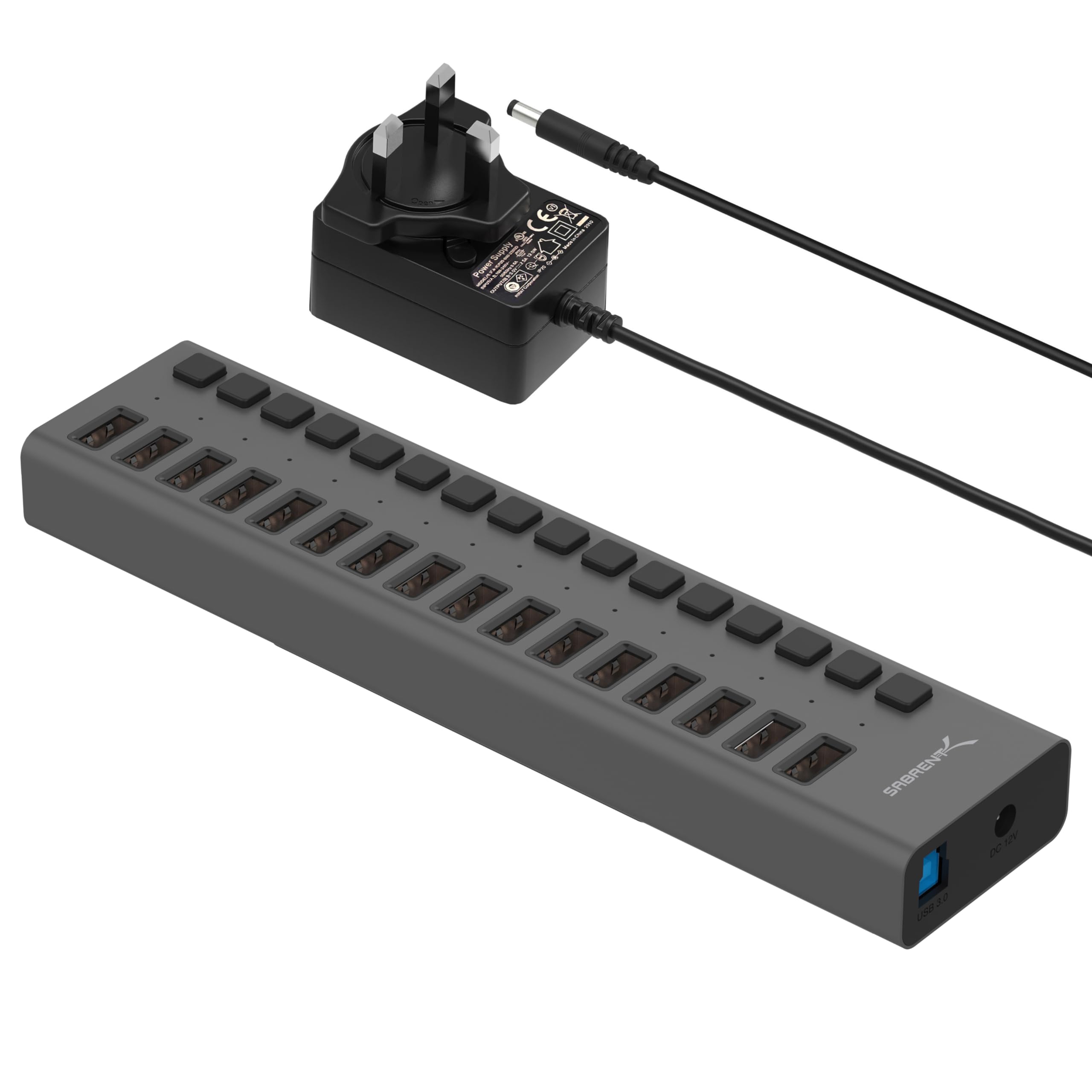
1,000+ ratings
Read Amazon ReviewsSABRENT 16-Port USB 3.0 Hub and Charger
Choose the 16-port model if maximizing the number of USB 3.0 connections is your main priority and you want a larger port count.
The 10-port hub is a better match when you value its stated split between data and dedicated charging ports.
- This 16-port model provides sixteen USB 3.0 ports, individual power-status LEDs, and data speeds up to 5Gbps.
- Its supplied description does not specify the same three dedicated smart charging ports.
- The 10-port model combines up to seven USB 3.0 data ports with three dedicated charging ports, plus individual switches and LEDs.
USB Hubs alternative
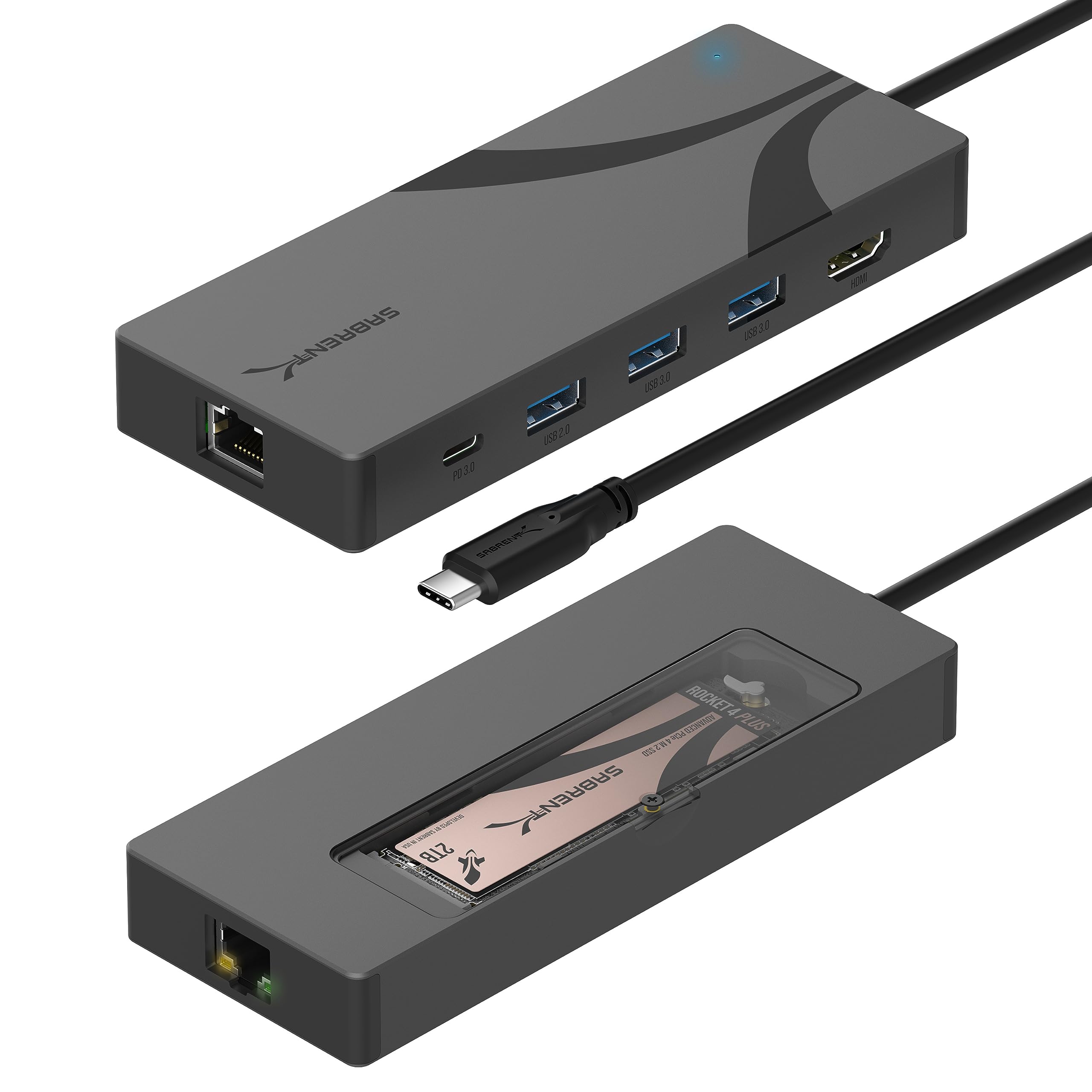
188,000+ ratings
Read Amazon ReviewsSABRENT USB-C Hub and M.2 SSD Dock
Consider the USB-C dock if you need built-in M.2 storage, a display connection, or wired Ethernet in a laptop-oriented setup.
The 10-port hub fits better when you need more USB connections, dedicated charging ports, and individual switching rather than those docking features.
- This six-port USB-C hub includes an M.2 SSD enclosure, one HDMI output supporting up to 4K at 60Hz, and Gigabit Ethernet.
- Its drive slot runs at up to 5Gbps, and its USB-C host connection supports up to 10Gbps; it requires a compatible host for video and does not include a charger.
- The 10-port hub is centered on USB 3.0 data connections, separate charging ports, and individual port switches.
Is SABRENT 10-Port Hub Worth It?
The SABRENT 10-Port Powered USB 3.0 Hub is worth considering for a desk with several USB peripherals and a separate need to charge phones, tablets, or other USB-powered devices.
Its most useful combination is the dedicated charging ports, included 60W adapter, and individual switches with status LEDs.
Buy it when seven USB 3.0 data ports are enough and the stated up-to-5Gbps ceiling fits your devices.
If you need every port for data, a higher transfer rate, or a more portable setup, compare those requirements closely before choosing this powered hub.
Your review at a glance
6,000+ ratings
Read Amazon ReviewsSABRENT 10-Port Powered USB 3.0 Hub
A powered desktop hub for people who need several USB connections, port-by-port switches, and separate charging ports.
- Ten total ports: up to seven USB 3.0 ports for data and three dedicated charging ports.
- USB 3.0 data transfer speeds of up to 5Gbps.
- Three smart charging ports automatically detect connected devices and deliver up to 2.4A per port.
- Includes a 60W, 12V/5A power adapter.