The SABRENT 3 Port Aluminum Mini USB 3.0 Hub review is for shoppers who need a small way to add a few USB connections to a compatible computer.
Its compact aluminum design, plug-and-play setup, and rotatable connector suit travel and tighter desk layouts, with a three-port limit to keep in mind.
SABRENT Mini Hub Review Summary
The quick verdict
9,000+ ratings
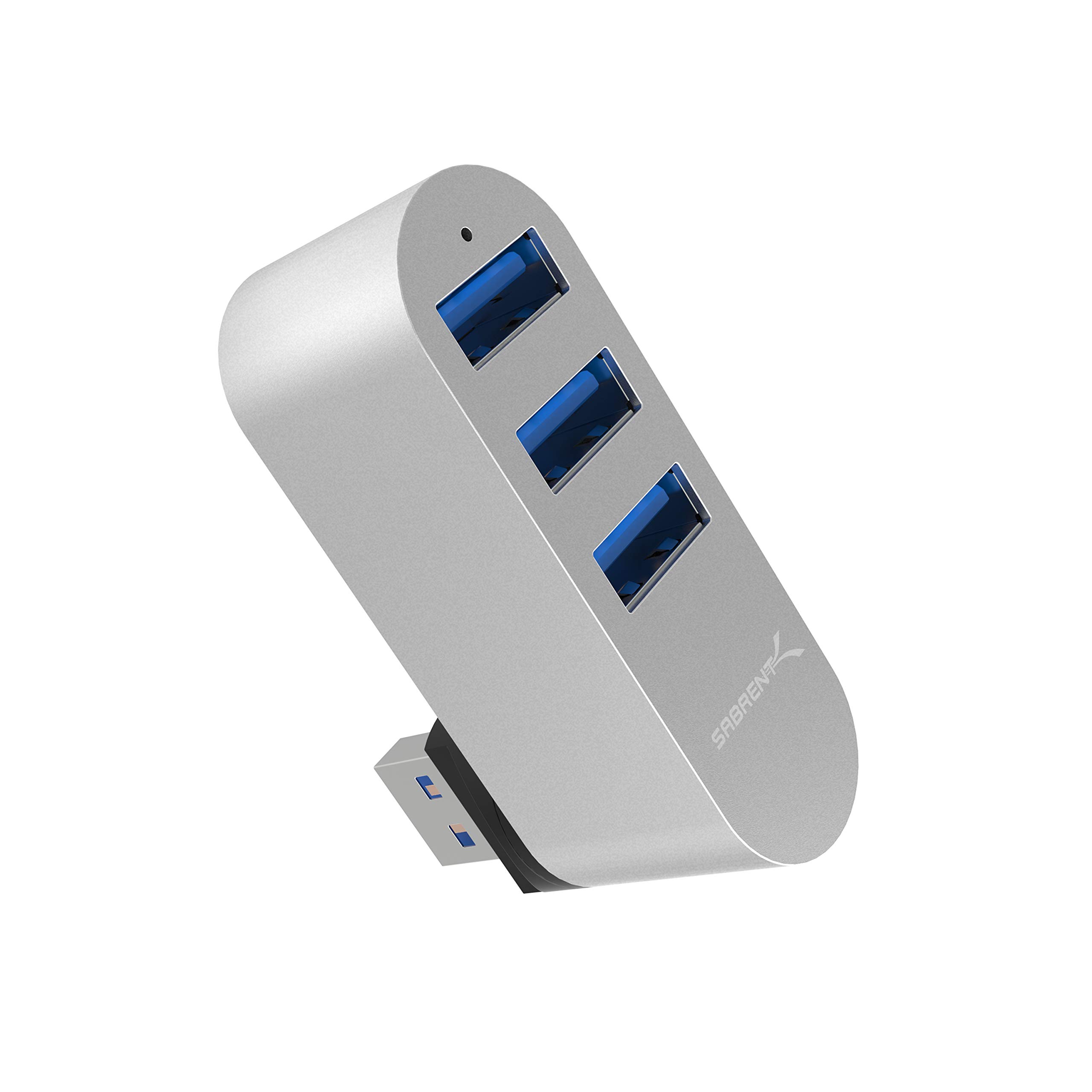
Read Amazon ReviewsSABRENT 3-Port Aluminum Mini USB 3.0 Hub
A compact, rotatable three-port hub for Mac and PC users who want portable USB 3.0 expansion without a separate desktop dock.
- Three USB 3.0 ports for adding connections to a compatible computer.
- Rotatable USB connector with 90° and 180° positions.
- Compact, lightweight design intended to be travel friendly.
- Aluminum construction with a sleek, Apple-inspired appearance.

Pros
- Small and light enough to carry with a laptop or keep in a compact workspace.
- The rotating connector can help orient the hub around different port placements.
Consider before buying
- Three ports may be insufficient for users connecting several peripherals at once.
- Its compact, directly connected design is best suited to nearby devices; check the reach and clearance around your computer's port before buying.
Read the full review summary
This mini hub focuses on simple USB expansion. It provides three ports in a compact, lightweight body, and its connector can rotate through 90° or 180° positions.
That adjustment may help the hub sit more neatly beside a computer when a straight connection would be awkward, though the fit depends on the host device and nearby ports.
It is aimed at Mac, Windows, and Linux users who want a portable accessory for everyday peripherals.
Hot-plug and plug-and-play support make setup straightforward, while the aluminum finish gives it a more polished look than a bare plastic adapter.
The description does not specify transfer-rate details beyond USB 3.0, so buyers choosing it for a particular high-speed workflow should confirm that the format suits their devices.
The buying factors
SABRENT Mini Hub Scorecard
Editorial scores reflect listed features and buyer fit; they are not laboratory measurements or customer ratings.
Portability
The compact, lightweight form is well suited to travel or a crowded workstation.
Port flexibility
The rotatable connector offers useful positioning options around compatible devices.
USB expansion
Three added USB 3.0 ports cover a modest set of peripherals, but not a large setup.
Setup simplicity
Plug-and-play and hot-plug support make installation uncomplicated.
Compatibility breadth
Windows, Mac, and Linux support covers common desktop and laptop platforms.
Design and finish
The aluminum housing and restrained mini form give it a tidy, portable profile.
Key Features and Specifications of SABRENT Mini Hub
- Three USB 3.0 ports for adding connections to a compatible computer.
- Rotatable USB connector with 90° and 180° positions.
- Compact, lightweight design intended to be travel friendly.
- Aluminum construction with a sleek, Apple-inspired appearance.
- Plug-and-play setup with hot-swappable and hot-pluggable use.
- Compatibility listed for Windows, Mac, and Linux systems.
Pros and Cons of SABRENT Mini Hub
Pros
- Small and light enough to carry with a laptop or keep in a compact workspace.
- The rotating connector can help orient the hub around different port placements.
- Three USB 3.0 ports provide useful expansion for a limited number of accessories.
- Broad operating-system compatibility and simple setup reduce configuration friction.
Consider before buying
- Three ports may be insufficient for users connecting several peripherals at once.
- Its compact, directly connected design is best suited to nearby devices; check the reach and clearance around your computer's port before buying.
- The description does not give a detailed transfer-rate specification, so buyers with a speed-sensitive workflow should confirm compatibility with their devices.
Who Should Buy SABRENT Mini Hub?
Good fit
Consider the SABRENT Mini Hub if you want a small USB 3.0 expander for a laptop bag, shared desk, or compact workstation.
Its three ports offer a practical amount of expansion for a mouse, flash drive, or other everyday peripherals, and the rotatable connector gives you some flexibility in how it sits beside the host.
It is also a reasonable fit if you use Windows, Mac, or Linux and prefer a straightforward plug-in accessory over a larger hub.
Before choosing it, count the devices you expect to connect and check that the hub’s position and clearance work with your computer’s port layout.
Who should skip it
Look for a hub with more ports if your setup regularly connects several devices at the same time. This model is deliberately compact and limited to three USB connections.
If your choice depends on a particular transfer rate or a precise cable reach, verify those details for your intended setup before purchasing; the available description does not specify them.
How the SABRENT Mini Hub fits a compact setup
The rotating connector helps with placement
A fixed plug can be awkward when a laptop sits close to a wall, stand, or neighboring cable.
The hub’s 90° and 180° rotation options give users a way to change its orientation, which can make a tight arrangement easier to manage.
Check the surrounding space, since the best position depends on the host’s port placement and nearby connections.
Three ports make the capacity clear
The hub is designed for modest expansion rather than a desk full of accessories.
Three USB 3.0 connections can suit a small collection of peripherals, but users who routinely attach more devices should count their needs first and choose a larger hub if they regularly exceed that number.
Portability favors travel and flexible workspaces
A compact, lightweight accessory is easier to carry than a full-size desktop hub and can be useful when working across locations.
Its direct, mini form also keeps the arrangement simple; buyers should consider whether the hub’s placement will leave enough room for adjacent ports and cables on their particular device.
Compatibility and setup are straightforward
The product is described as compatible with Windows, Mac, and Linux, with plug-and-play and hot-plug use.
That makes it a simple option for common computer setups, while shoppers with specialized equipment should still check that their host and peripherals use the connections they need.
Alternatives to SABRENT Mini Hub
USB Hubs alternative
2,000+ ratings
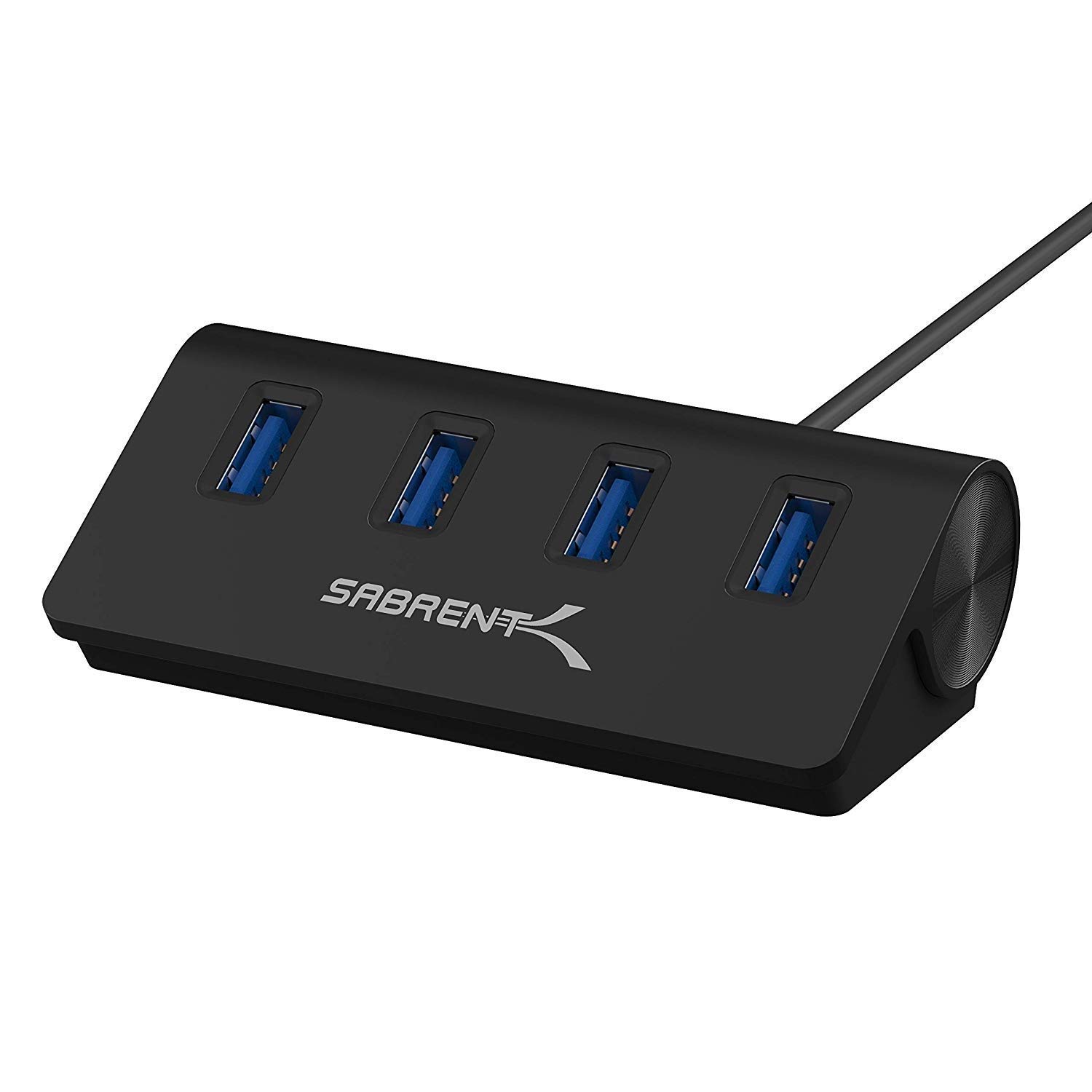
Read Amazon ReviewsSABRENT 4-Port Aluminum USB 3.0 Hub
Choose the Mini Hub if its compact rotatable form is more useful than having an extra port. Consider the four-port model if you want more separation from the host connection or expect to attach four devices.
- This alternative adds four USB 3.0 ports and connects through a 2.5-foot USB 3.0 cable; its description also lists support for USB 2.0 and USB 1.1.
- The SABRENT Mini Hub provides three USB 3.0 ports in a compact body with a rotatable connector.
USB Hubs alternative
500+ ratings
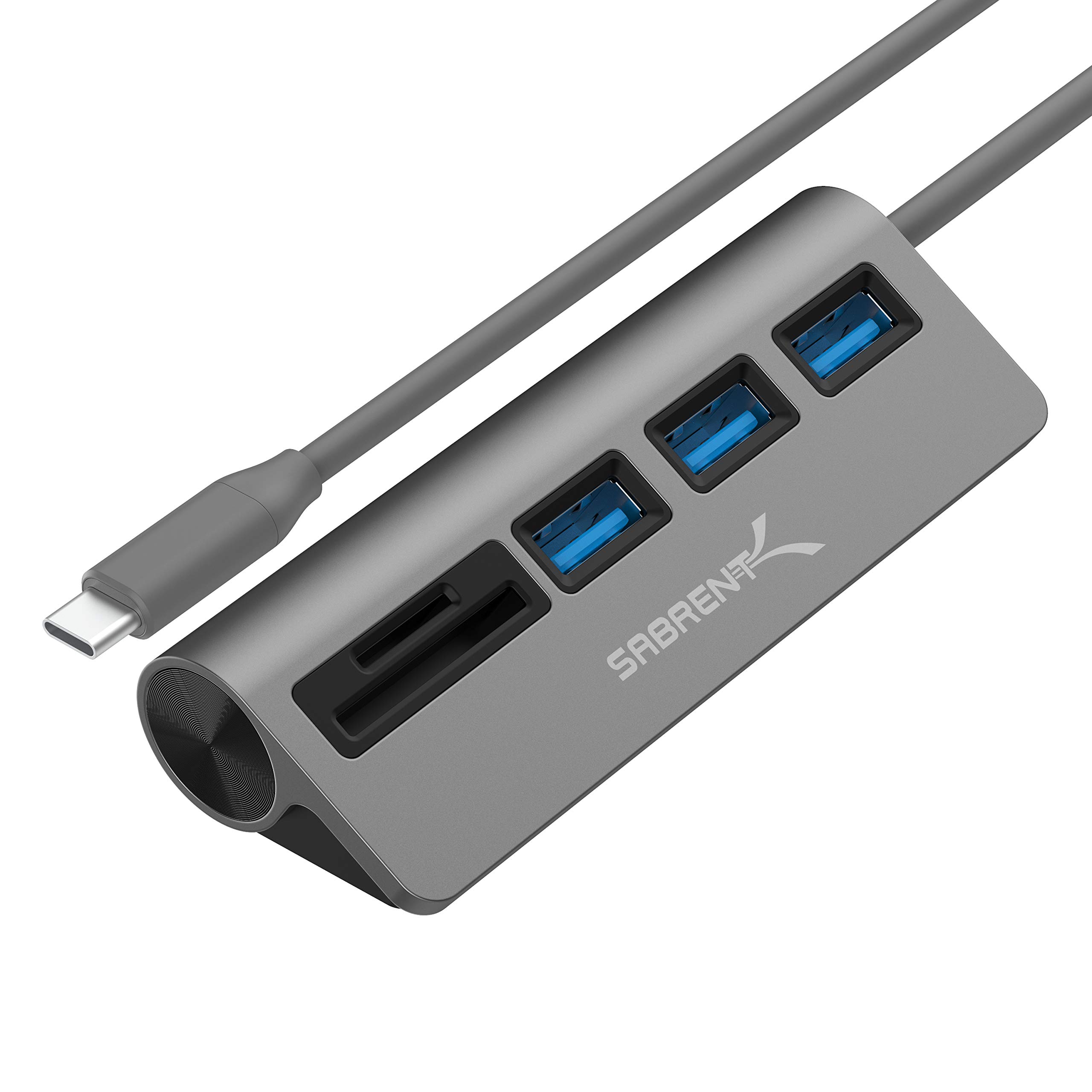
Read Amazon ReviewsSABRENT USB-C 5-in-1 Hub with SD/TF Reader
The Mini Hub is the simpler choice when you need three USB 3.0 connections and its rotating connector suits your computer.
Consider the USB-C model if your host has USB-C and built-in SD and microSD card access would be useful.
- This USB-C model combines three USB 3.0 Type-A ports with SD and microSD card-reader slots and connects through USB-C.
- The SABRENT Mini Hub adds three USB 3.0 ports and uses a rotatable connector, with compatibility listed for Windows, Mac, and Linux.
Is SABRENT Mini Hub Worth It?
The SABRENT 3-Port Aluminum Mini USB 3.0 Hub is worth considering for shoppers who value portability, simple setup, and flexible connector orientation more than a high port count.
Its three USB 3.0 connections are a practical fit for a small set of everyday peripherals, while its compatibility listing covers Windows, Mac, and Linux.
Check port clearance and count your devices before buying.
If your setup needs more than three connections, a larger hub will be a better fit; if compact expansion is the priority, this mini model has a clear, focused purpose.
Your review at a glance
9,000+ ratings
Read Amazon ReviewsSABRENT 3-Port Aluminum Mini USB 3.0 Hub
A compact, rotatable three-port hub for Mac and PC users who want portable USB 3.0 expansion without a separate desktop dock.
- Three USB 3.0 ports for adding connections to a compatible computer.
- Rotatable USB connector with 90° and 180° positions.
- Compact, lightweight design intended to be travel friendly.
- Aluminum construction with a sleek, Apple-inspired appearance.